
Human Code vs AI code
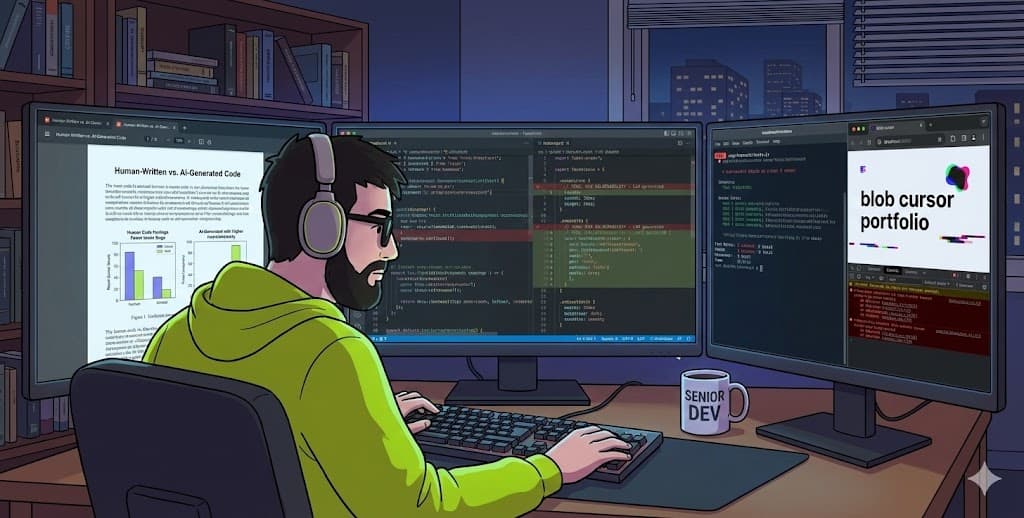
Recently, I read the paper Human-Written vs. AI-Generated Code: A Large-Scale Study of Defects, Vulnerabilities, and Complexity by LLMs and Humans. Perhaps the LLMs are incredibly fast, allowing you to obtain the code in minutes and develop a small application in minutes. The human code and the necessity of generating small chunks of code under human supervision remain present.
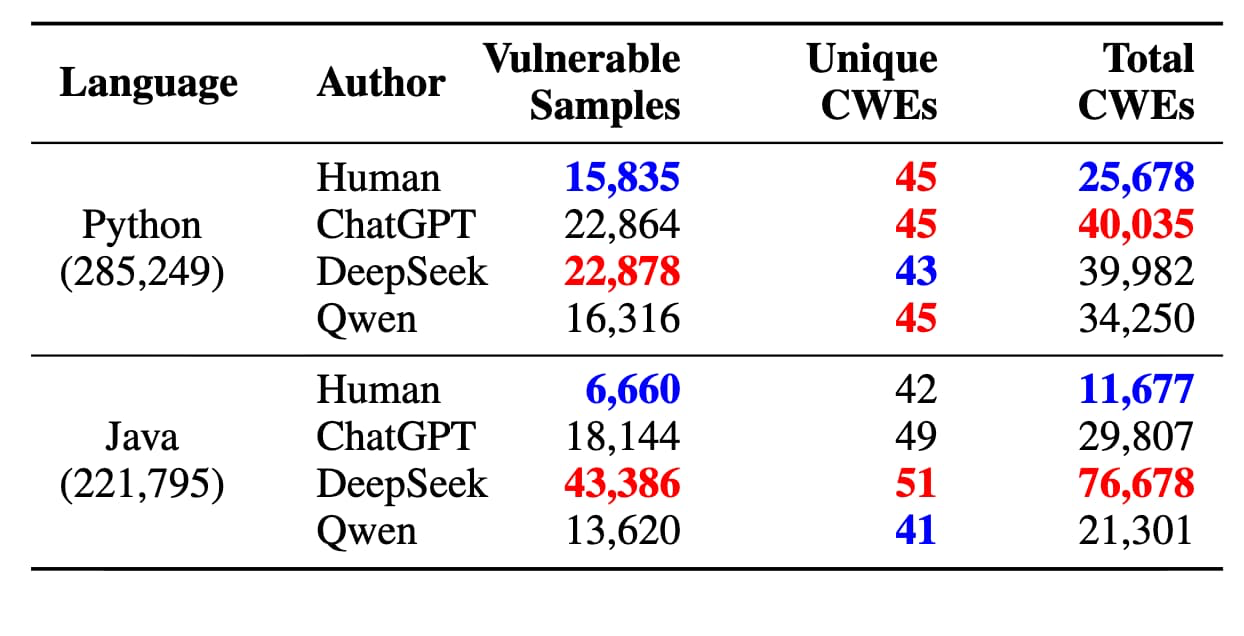
In fact, humans are generating fewer vulnerabilities and more complex code than LLMs; the LLMs analyzed in the paper were ChatGPT, DeepSeek coder, and Qwen coder. The conclusion is conclusive that the code generated by humans is more valuable, more scalable, and generates fewer vulnerabilities. This is supported by all the recent downtime services we have seen in 2025. By saying this, I'm not suggesting that we shouldn't use LLMs at all or that they are inherently bad tools; perhaps they are tools that we can utilize to our advantage and for increased productivity.
As I have mention in many times with collegues and X (twitter) the LLMs are tools that we should use to boost the productivity but we should be aware of the code generated by them and be able to change it, instead of blindly trust on a tool.
Testing a prompt
I would like to complement this paper with some quick research I conducted myself, and I exhort everyone to do the same. Emily Lambert, where she was showing how Claude creates a landing page portfolio almost perfect to see, with only 2 images as a context.
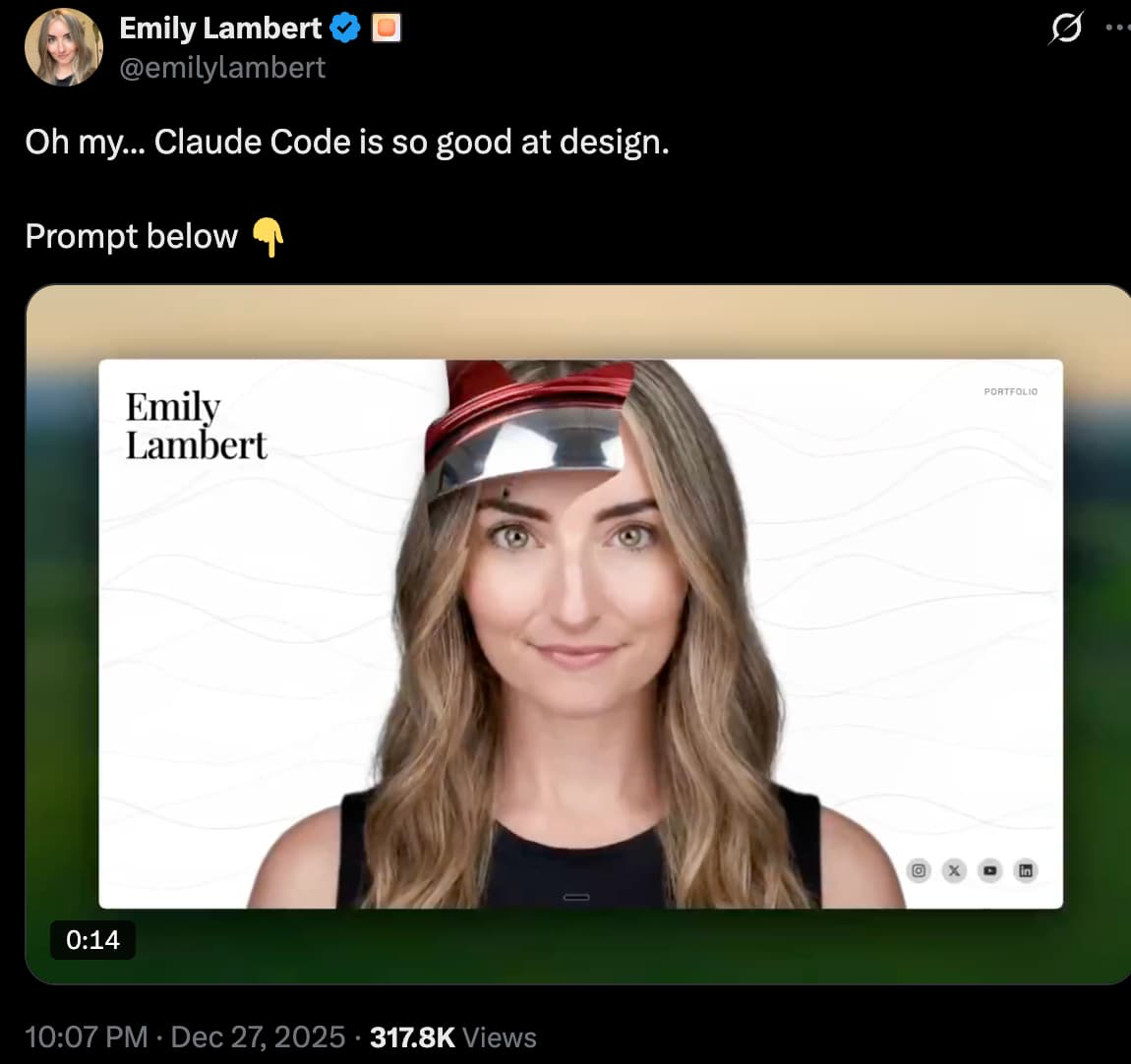
The prompt she used was also posted in the same thread.
I want to create a personal portfolio landing page for [YOUR NAME]. The page should be a full-screen hero section with a large headshot image [IMAGE ONE] as the background, centered and covering the entire viewport. My name should appear in the top left corner in a large, elegant serif font (like Playfair Display) with the first and last name stacked on separate lines. In the top right corner, add a "Portfolio" link. At the bottom right, include social media icons for Instagram, X/Twitter, YouTube, and LinkedIn that link to my profiles - use solid filled SVG icons so they're clearly visible.

The main interactive feature should be a blob cursor effect that follows the mouse. When the user hovers over the page, an organic, gooey blob shape should appear and follow the cursor with a slight lag for a smooth, fluid feel. This blob should act as a "reveal" mask that shows a second version of the headshot [IMAGE TWO] - so as the user moves their cursor around, they're essentially revealing an alternate image underneath. The blob should have a trailing effect where smaller, fading blob shapes follow behind based on cursor speed - faster movement creates more pronounced trails. Add subtle animated wave lines in the background that respond gently to mouse movement.

All text elements (my name, the Portfolio link, and the social icons) should dynamically invert to white when the blob cursor hovers over them, so they remain visible against the revealed image. The transitions should be smooth with a 300ms duration. Add a subtle parallax effect where elements shift slightly in the opposite direction of cursor movement to create depth. The overall aesthetic should be minimal and sophisticated with a white background, letting the photography and interactive elements be the focal point.
So, of course, I wanted to see how my page would look by using this incredible CSS transformation. For this, I have used Cursor, Gemini, and Claude. Gemini and Claude, I used them on the web, and the behavior may be different when using a CLI. However, for Cursor, I was expecting better behavior since I'm using the Cursor IDE with agents that can test, run, and create files and structures. I did not want to make a fuss by specifying which techs to use or not to use.
The aim of using LLMs without knowing how to code is that, simply by giving a request, we expect everything to be better than human code, faster, and scalable. At least, that is the goal the hype is selling. The reality is that LLMs can focus on a single, small context, whereas applications are often large and require a significant amount of business logic to follow.
LLM's results - Claude/Gemini.
The result from Claude and Gemini was a page that, when corrected, displayed the two images by hovering the mouse, and the text changed from black to white based on which image was displayed. To be honest, I was not expecting more than this. The link icons are not clickable so far, and no scrollable area is available.
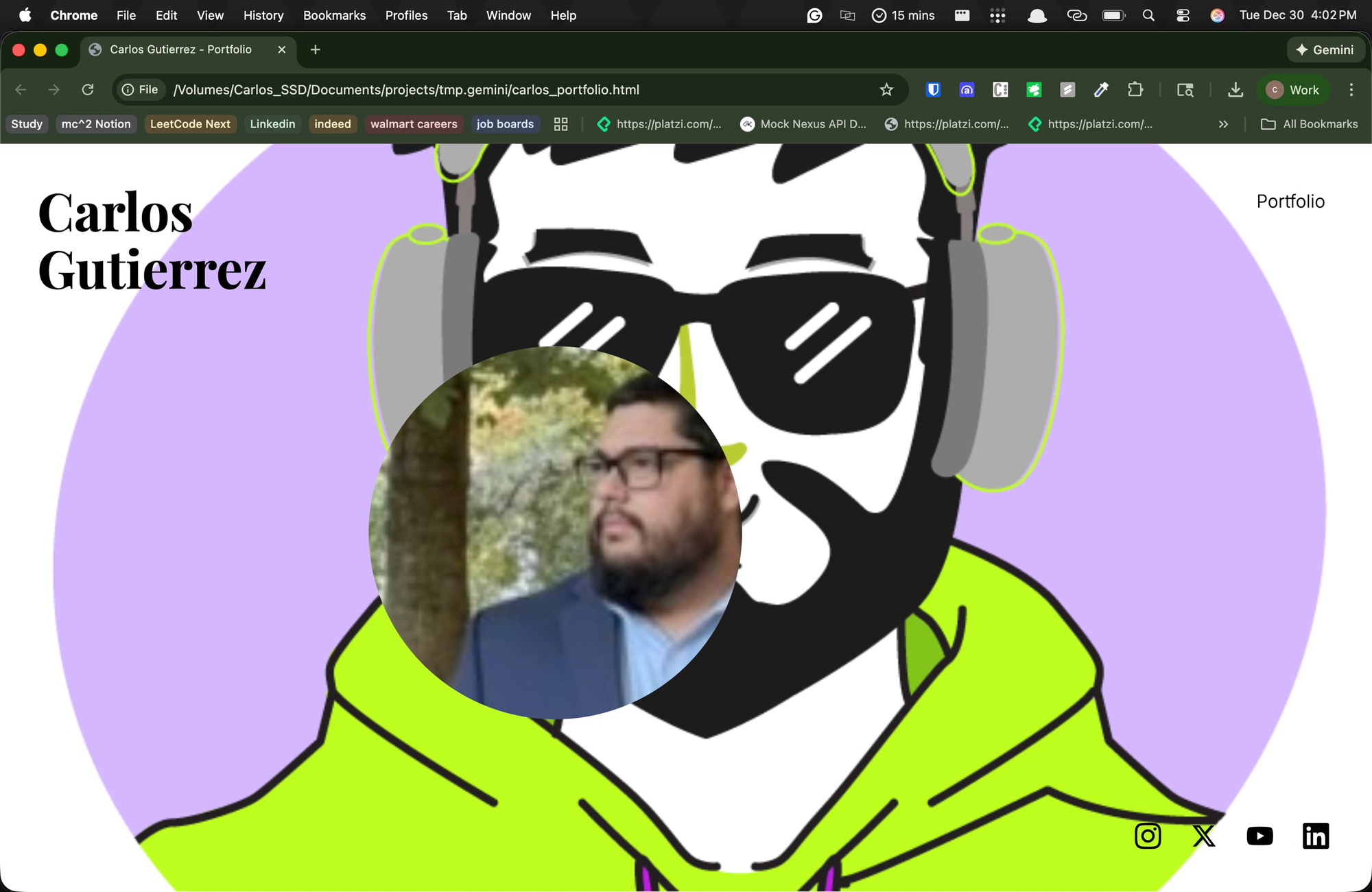
By seeing the code, I found the image is being injected into the CSS:
.bg-layer {
    position: absolute;
    top: 0;
    left: 0;
    width: 100%;
    height: 100%;
    background-image: url('CargdevTRANSPARENCIA.png');
    background-size: cover;
    background-position: center;
    transition: transform 0.3s ease-out;
}
The issue with injecting the image over the CSS is that the GPU has to redraw a large texture each frame. The best approach is to utilize a CDN that stores all the images the page will use, and then load them via Typescript/JavaScript for improved performance.
Another common issue is adding icons to the HTML as tags. This could be because I created the Canva on the web, but this is not a common practice in real-world applications.
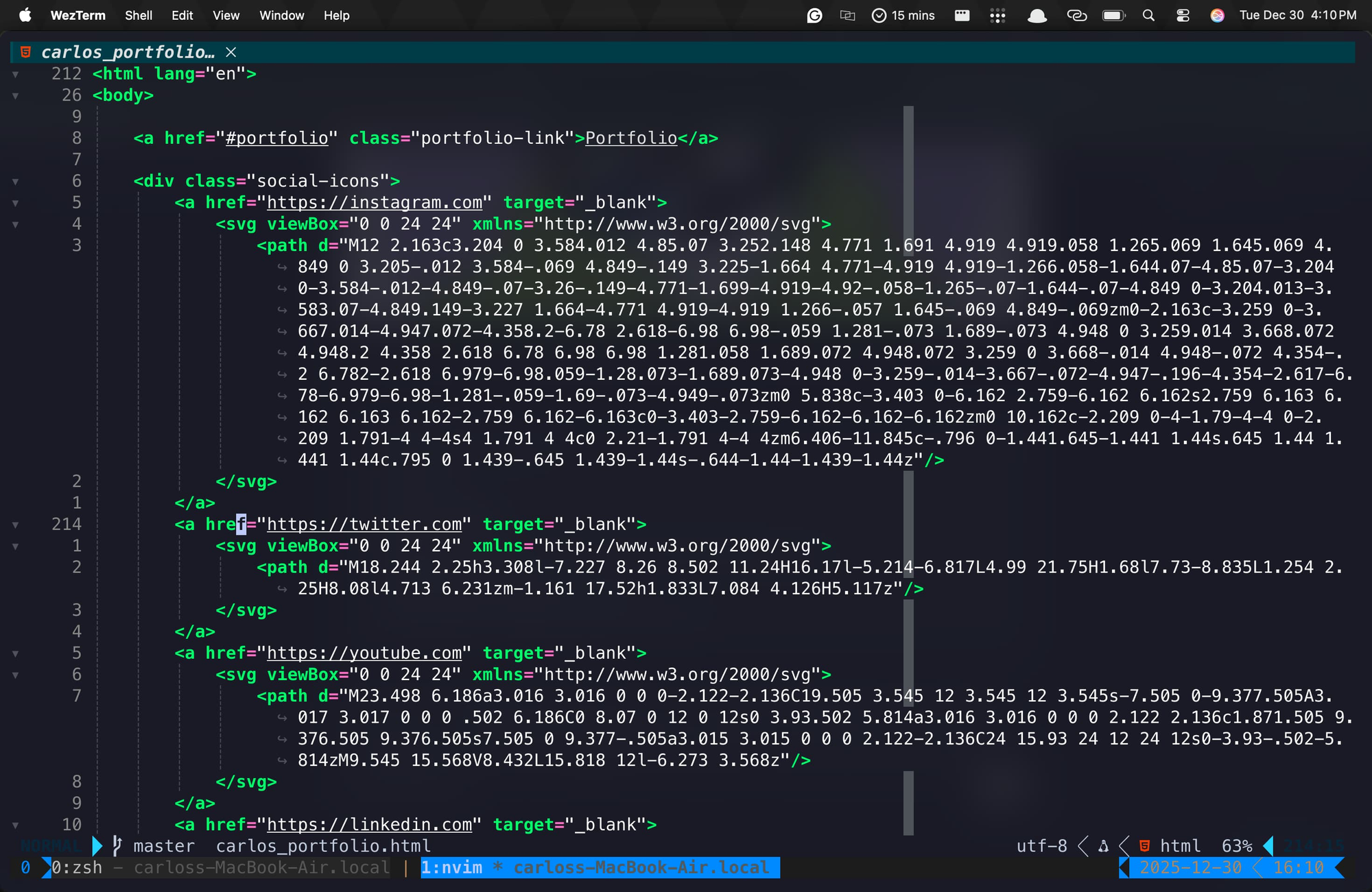
On the Gemini side, the hovering was working worse; the text was hidden by hovering over it, and even the main image was overlapping all other content:
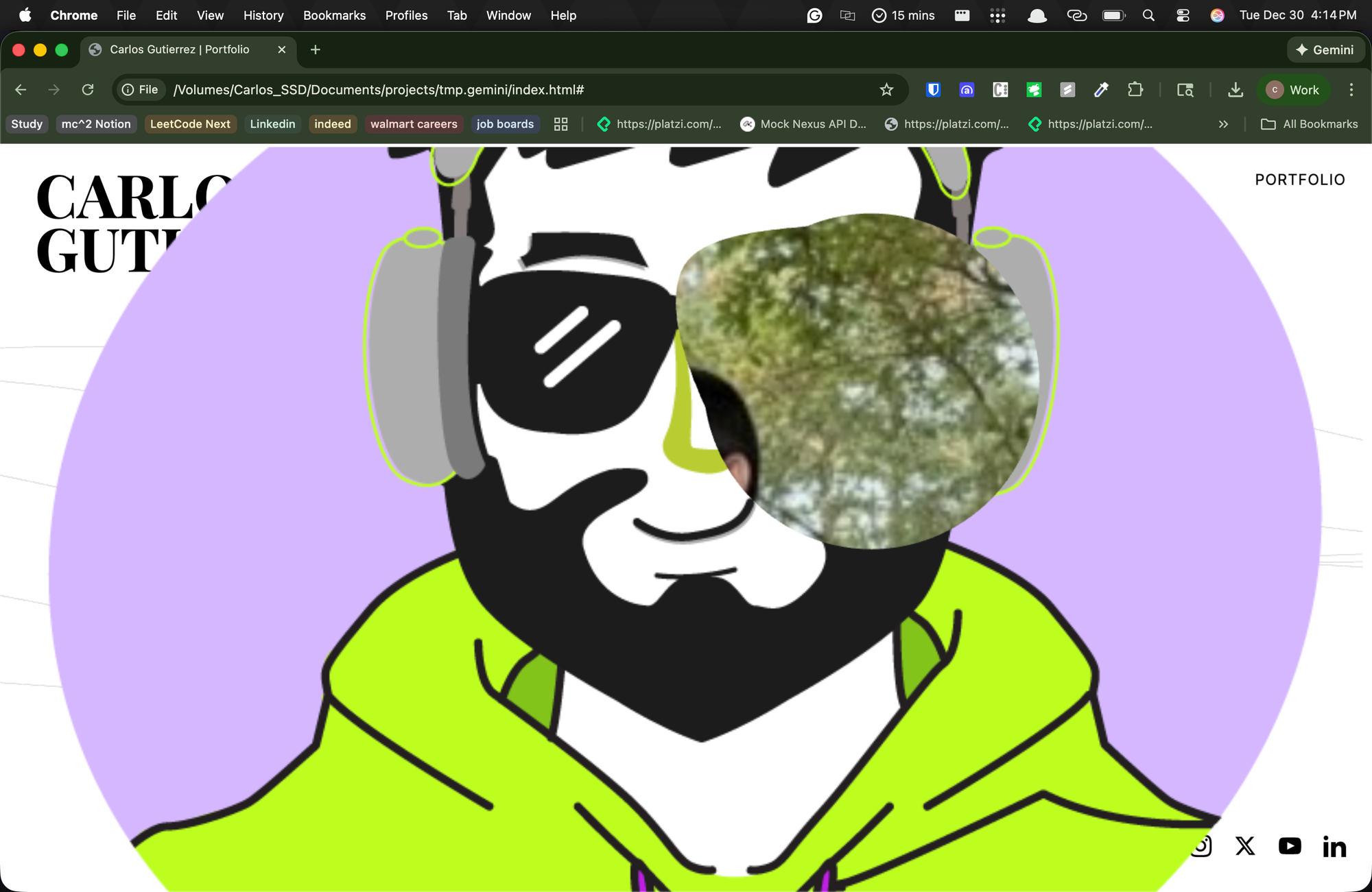
The functions were somewhat similar, except in how they defined the variables and utilized them within the functions. None of the LLMs (Gemini or Claude) used arrow functions, and both used variables in the global scope.
Cursor results
The worst result was achieved by Cursor, which I had expected to behave better. The main issue with Cursor was that the image didn't appear the second time when hovering, instead showing a white circle.
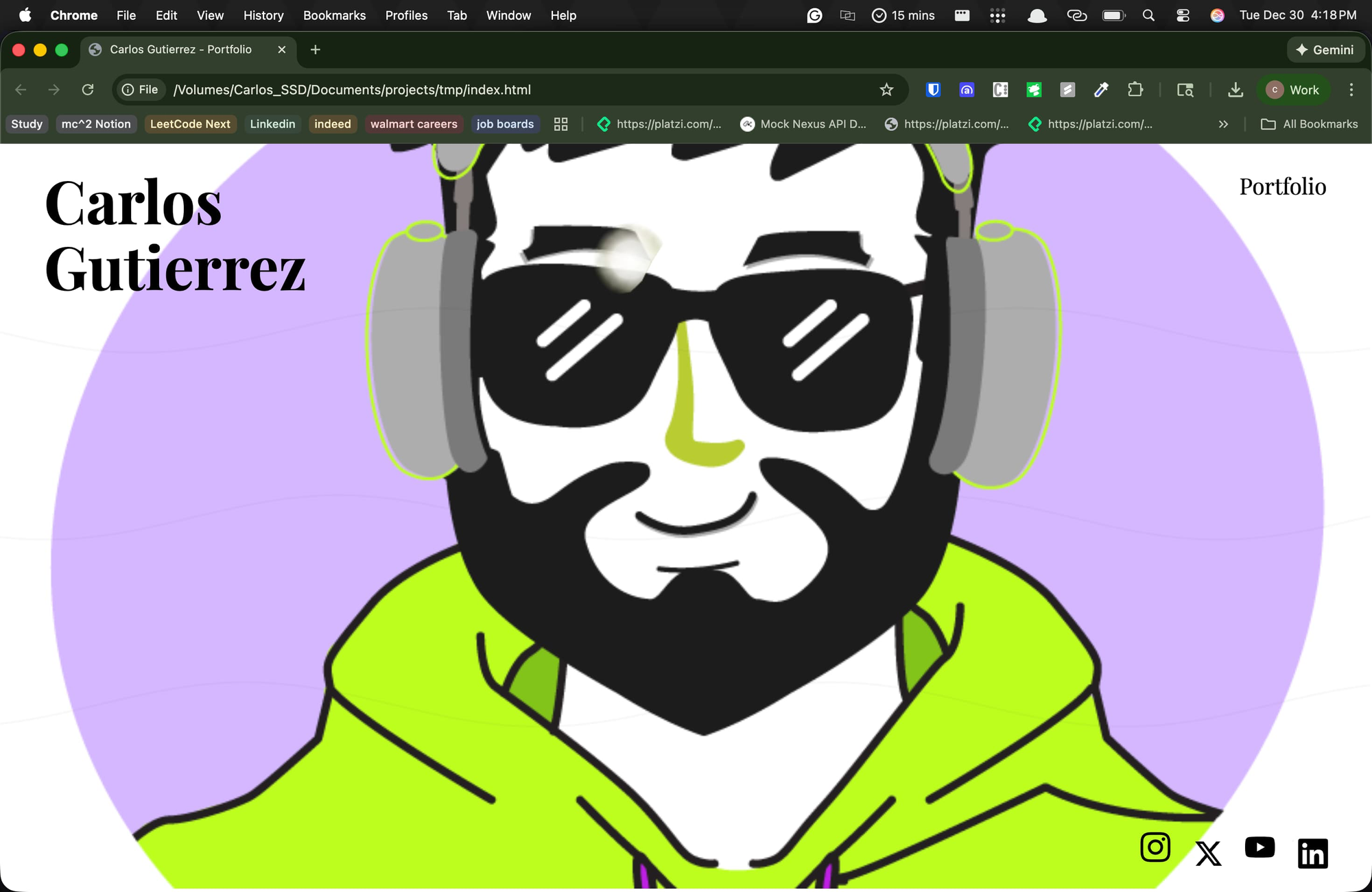
Since the Cursor is an IDE, it was able to create its own files in a directory:
./
├── CargdevTRANSPARENCIA.png
├── index.html
├── real_carlos.jpeg
├── scripts
│   ├── main.js
│   └── main.ts
└── styles
    └── main.css

3 directories, 6 files
In fact, Cursor is more structured, but the results were not yielding the desired outcomes. By analyzing the code created by Cursor, it became apparent that the same issues arose when using SVG directly in HTML, despite having open permissions to install any library or use any desired technology.
Even the CSS was made the same as Claude or Gemini, adding the image directly to the file.
.background-image-base {
    background-image: url('../CargdevTRANSPARENCIA.png');
    z-index: 1;
}

.background-image-reveal {
    background-image: url('../real_carlos.jpeg');
    z-index: 2;
    /* Mask will be applied dynamically via JavaScript */
    mask-image: none;
    -webkit-mask-image: none;
}
The difference was that Cursor used a TypeScript file and then compiled it into a JavaScript file. The code created by Cursor was written in a Class-Based Style instead of a functional programming style. This is not a problem, but in large applications, you must decide which programming style to use, depending again on the business logic.
Conclusion
Although the LLM's are good to make a lot of things the human are who has to drive the LLM's to create value over what they are making, in the future years we will see a bunch of code created with LLM's entirely with a lot of issue on not only scalability or vulnerabilities, we will see more code that is slow over the time and has to be change, if the code is written to be static is not mantainable and that in fact will create applications that has to be written from scratch over and over again if some bussiness logic change.
The business logic is not always static and changes depending on factors such as the country, people, targets, and competitors. The LLMs are fancy autocompletes so far, and in fact, an LLM is only a probabilistic algorithm. That is why all the content made by an LLM seems to be the same, lacking authenticity, because it is most probable that the next token is.
If you enjoyed this breakdown, consider subscribing to support my work, follow me on X (@cargdev) for more thoughts on software engineering and AI, or check out my work at cargdev.io.
Comments ()